
Amazon Kindle has transformed how people read books worldwide. It combines portability, convenience, and access to millions of titles.
Whether you love fiction, non-fiction, or textbooks, Kindle makes reading easy. You can carry thousands of books in a single device.
Many users wonder if Kindle is worth buying. In this guide, we’ll explore devices, apps, features, and tips for maximizing Kindle.
What is Amazon Kindle?
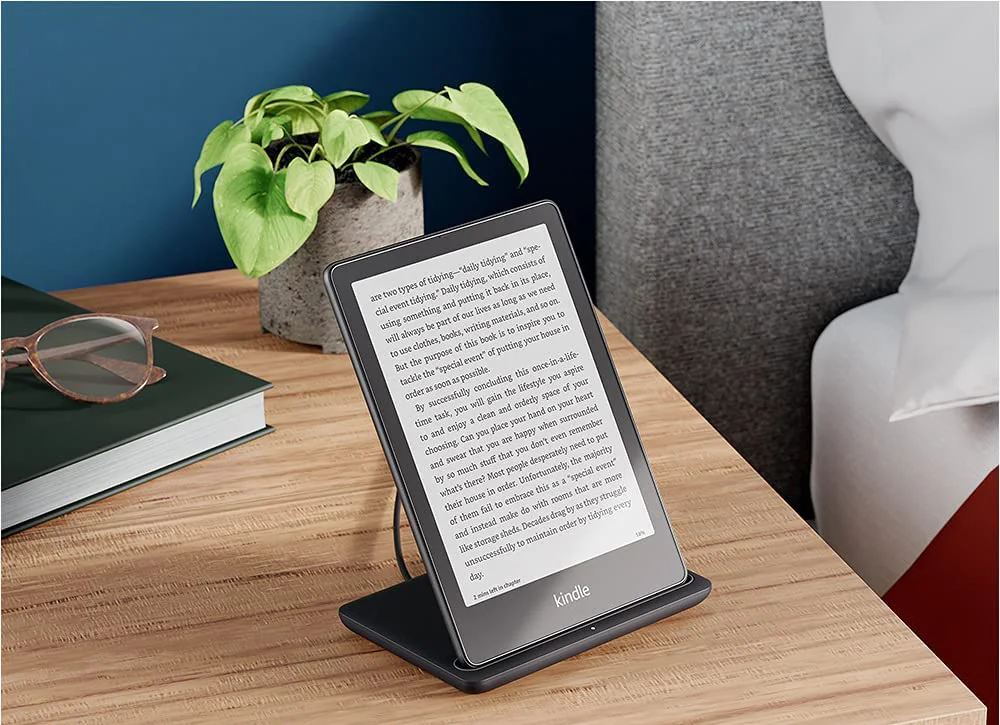
Amazon Kindle is a digital reading platform. It includes e-readers, apps, and a large selection of e-books.
Kindle Devices
Kindle devices are lightweight e-readers with glare-free screens. They allow reading in sunlight without straining eyes.
Popular models include:
- Kindle Basic: Affordable and lightweight.
- Kindle Paperwhite: Waterproof with a brighter display.
- Kindle Oasis: Premium model with adjustable warm light.
Kindle Apps
You can use Kindle apps on smartphones, tablets, and computers. The app syncs your reading progress across all devices.
Features include:
- Highlighting text
- Adding notes
- Adjustable font sizes
- Night mode for reading in the dark
Why Choose Kindle Over Physical Books?
Kindle offers several advantages:
- Portability: Carry thousands of books in one device.
- Cost-effective: E-books often cost less than print versions.
- Customizable Reading: Change fonts, brightness, and page layout.
- Environmentally Friendly: Reduces paper usage and waste.
For avid readers, Kindle is often more convenient than carrying physical books.
How to Buy a Kindle
Buying a Kindle is simple. Amazon sells all devices online with secure delivery.
Step 1 – Choose Your Device
Decide between basic, Paperwhite, or Oasis based on budget and features.
Step 2 – Add Accessories
Accessories like cases, screen protectors, and chargers improve your reading experience.
Step 3 – Create an Amazon Account
You need an Amazon account to buy and download e-books to your Kindle.
Step 4 – Download Books
Browse the Kindle Store, select your favorite titles, and start reading instantly.

Kindle Features You’ll Love
Amazon Kindle is packed with features that make reading enjoyable:
- Built-in Dictionary: Look up words instantly while reading.
- X-Ray Feature: Explore characters, places, and topics in a book.
- Whispersync: Syncs your progress across all devices.
- Borrow from Library: Access e-books from local libraries.
These features make Kindle more interactive than traditional books.
Kindle Unlimited and Kindle Store
Kindle Unlimited
Kindle Unlimited is a subscription service. It lets you read thousands of e-books for one monthly fee.
Benefits:
- Unlimited reading
- Access to popular magazines
- Audiobooks included in some plans
Kindle Store
The Kindle Store has millions of titles. You can buy or pre-order new releases and bestsellers.
Tips for Using Your Kindle Effectively
- Adjust Screen Brightness: Protect your eyes in low-light conditions.
- Organize Books: Use collections to keep your library tidy.
- Highlight and Note: Save important passages for later reference.
- Battery Management: Charge fully to extend reading time.
- Sync Devices: Continue reading seamlessly on multiple devices.
FAQs About Amazon Kindle
Yes, you can use the free Kindle app on smartphones, tablets, or computers.
Only the Paperwhite and Oasis models are waterproof. Basic Kindle is not.
Yes, Amazon allows family sharing through the Amazon Household feature.
Usually yes. Many e-books are discounted compared to print editions.
Yes, Kindle supports Audible audiobooks on compatible devices.
Conclusion:
Amazon Kindle is perfect for avid readers, students, and travelers.
It offers convenience, portability, and access to millions of books.
Whether you prefer Paperwhite, Oasis, or the basic model, Kindle is worth exploring.
Start your digital reading journey today and enjoy books anywhere, anytime.
Call to Action:
Buy your Kindle now on Amazon and unlock a world of digital reading!